The Main Agent Only Sees the Question and the Answer — From Delegating to Codex to Orchestrating Sessions#
2026-10-31
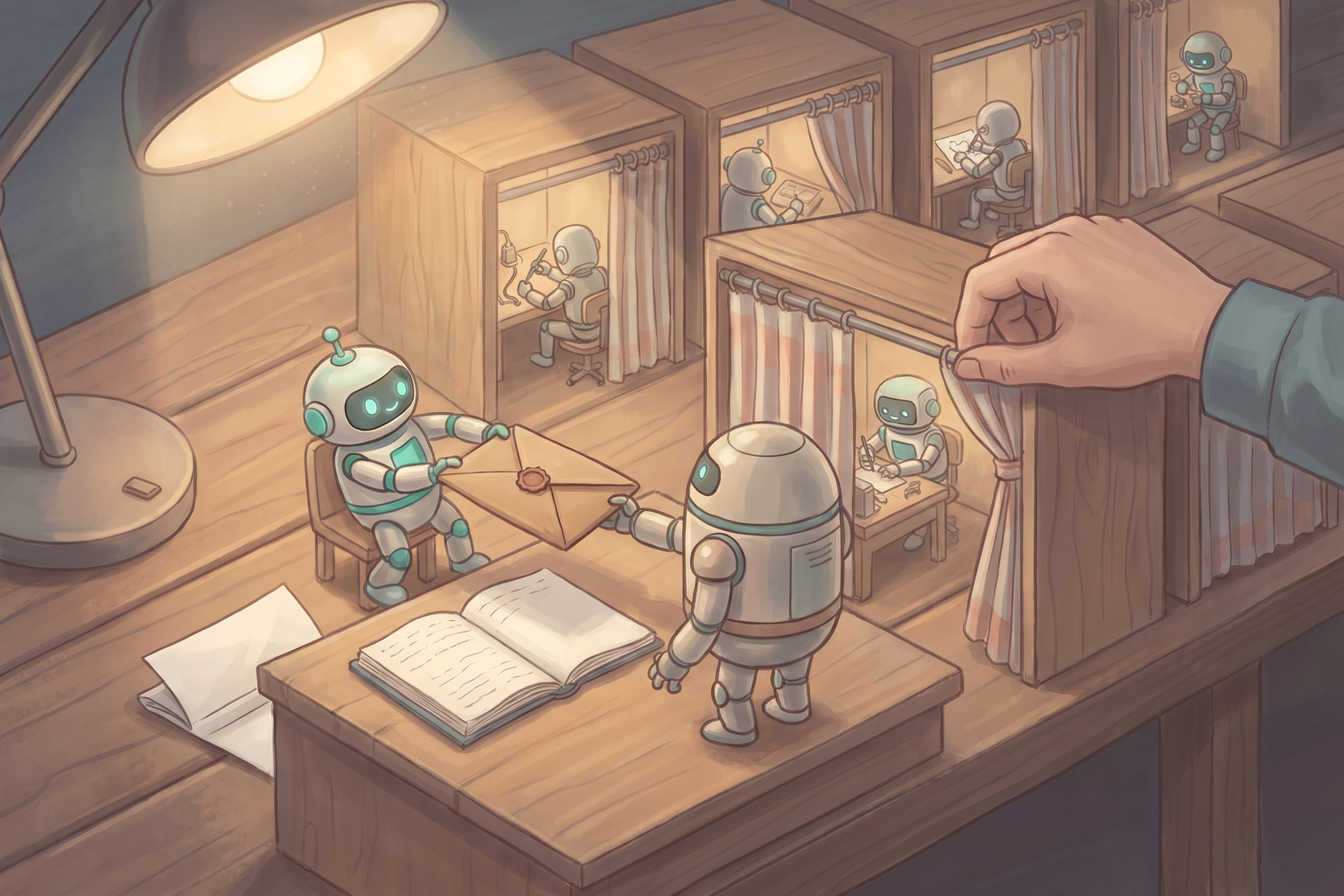
I subscribe to both Claude Code and Codex on Team plans. I split work between the two so that neither one’s limits run out too quickly, but that splitting meant I had to keep switching between the two apps myself. This essay is the record of how I looked for a way to cut down that back-and-forth by keeping Claude Code as the main agent and using Codex like a subagent, and then wired it up myself.
Here is the conclusion up front. All the main agent cares about is what it handed off and what came back. There was already an official tool built on this principle (OpenAI’s codex-plugin-cc), and when I wired it up, the place the error message pointed to was not where the real cause was. In Part 2, I take the same principle one step further and look at how far various coding agents go in letting a manager session create worker sessions and communicate with them.
Part 1. Codex as a Subagent in Claude Code#
Two subscriptions, two windows#
Until now, the two agents communicated through a document in the repository that both of them read. For handing off work that spans several days, this works quite well. What bothered me was something that happened more often: every time I decided “let’s give this to Codex,” I had to go over to the Codex app, explain the context again, and bring the result back. I wrote in an earlier essay about how the more agents you use, the more the human becomes the scheduler running between them.
So the idea I had was simple. Claude Code and Codex can both run terminal commands, and both have a CLI (Command Line Interface). If so, it should be technically possible for the Claude Code agent to run the Codex CLI, give work to the Codex agent, and get the result back.
What the main agent sees is the query and the final response#
Picture the main agent in Claude Code handing work to a subagent. The main agent cares about only two things: what it asked for, and what finally came back. How many files the subagent read, which hypotheses it formed and dropped, how many times it re-ran a command — all of that happens and ends inside the subagent’s own context. Only a summarized result enters the main agent’s context.
That was exactly the flow I wanted. The Claude Code agent (the main agent) sends a request to the Codex agent, Codex works on its own, and only the final response comes back. If the work takes a long time, the main agent can pick up the result later. This structure has two advantages.
- The main agent’s context stays light. The files Codex reads and the commands it runs along the way do not pile up in the main agent’s context.
- Usage comes out of the side doing the work. Heavy exploration and trial and error are handled on the Codex subscription, and Claude only spends what it takes to write the request and read the result.
So when choosing a method, I had a single criterion: after connecting Codex, can I keep the subagent flow of “send a query, get the final response” as it is?
How others tried it, and where they got stuck#
Quite a few people had tried the same idea before me. Their approaches fell into four broad groups, and each had its own obstacles.
| Approach | Obstacle |
|---|---|
Calling codex exec directly | Hangs waiting for input or ends as a “success” without doing anything, sandbox nesting conflicts on macOS, billed per use if an API key is in the environment variables |
| Community MCP bridges | Maintenance quality varies, and some implementations run Codex with the sandbox and approvals turned off |
| A home-built two-way conversation system | Problems like lock bypassing and tangled turns end up having to be blocked with mechanical safeguards such as hooks |
| OpenAI’s official plugin, codex-plugin-cc | If you turn on the optional review gate, a Codex review runs every time Claude finishes a response, and the official docs themselves warn it can drain usage quickly |
For the first approach, Steve Kinney’s write-up covered the pitfalls in the most detail. When another agent runs Codex, standard input may not be closed, so Codex can hang or exit normally without doing any work. That is why you should redirect input from /dev/null and treat an empty result file as a failure. In other words, a review with no output must not be read as a pass.
For the third approach, a dev.to post stood out in which two Claude Code instances and one Codex talked to each other through file-based messages. The conversations usually reached agreement within 3–6 turns, and work was split by ability even without assigned roles. On the other hand, a Claude Code session bypassed the lock by editing the conversation file directly with its edit tool, which had to be blocked with a hook, and since Codex had no equivalent hook, the author had to rely on a rules document. The author’s conclusion was that “mechanical safeguards beat rules stated in words.”
There were warnings about usage too. One Reddit user reported that a code review plugin — a different one, not codex-plugin-cc — spawned subagents in a cascade and burned through a week’s usage in 15 minutes on a single simple change. And there was one point that several posts made in common: two agents agreeing does not make them right. Two agents given the same wrong requirements can agree on the same wrong answer.
I also looked at the reverse direction, where Codex calls Claude with claude -p, but did not consider it this time. There is no official plugin for it, and because the Codex sandbox blocks the network by default, using claude -p would mean opening the network for every command Codex runs. Above all, my goal was to stay in a single Claude Code window, so I did not need that direction.
Why I chose codex-plugin-cc#
On March 30, 2026, OpenAI open-sourced codex-plugin-cc, an official plugin for Claude Code. It has eight commands, which fall into three groups by purpose.
- Review:
/codex:reviewis a read-only review in a fixed format, and/codex:adversarial-reviewis a review that challenges design decisions, to which you can add free-form text about what to focus on. - Delegation:
/codex:rescueis a general-purpose command for handing off any task in free-form text. It can continue a previous task (--resume), run in the background (--background), and take a model and reasoning effort. You can also just say “hand this to Codex” without the command. - Job management:
/codex:status,/codex:result, and/codex:cancelcheck on background jobs, fetch their results, or cancel them./codex:transfermoves the current Claude Code conversation into a Codex thread so you can continue it in Codex./codex:setupchecks the installation and login status.
The deciding reason I chose this plugin was its internal structure. When you run /codex:rescue, the plugin launches a Claude Code subagent called codex-rescue. If you open the subagent’s definition, the only tool it can use is Bash, and its job is pinned down as “run the plugin script once to pass the request to Codex, and return its output as is, without commentary.” Any other action, such as reading files or checking status, is forbidden.
In short, the flow looks like this.
- The main agent (Claude) hands the work to the
codex-rescuesubagent. - The subagent (a Sonnet model) runs the plugin script once.
- The script passes the task to Codex, and Codex does the actual work.
- Codex’s final response comes back to the main agent untouched.
It keeps Claude Code’s subagent structure as it is and only swaps the actual worker for Codex. That fits exactly the criterion I set earlier: send a query, get the final response. The Sonnet subagent in the middle uses a little Claude usage, but since all it does is a single handoff, the amount is small.
There are three things to know before using it, though.
/codex:rescueruns in write mode by default. If you only want an investigation, write “read-only” in the request. The plugin script itself runs read-only unless given the write option, but the subagent adds the write option by default.- Your request text may be reworded. The subagent’s definition allows it to tighten the request for GPT models before passing it on. So the right place to check exactly what Codex received is Codex’s own records.
- It is better to leave the review gate off. This feature has Codex review every time Claude is about to finish a response, and if issues come up, it blocks the stop so Claude fixes them first. It is off by default. The official README itself warns that it can create a long-running Claude/Codex loop that drains usage quickly, and says to enable it only when you plan to actively monitor the session.
Wiring it up: the error message pointed somewhere other than the cause#
Installation and checks went smoothly. I added the marketplace with the claude plugin command in the terminal, installed the plugin at user scope, and ran the same checks as /codex:setup: Node, the Codex CLI, and the login status all came back fine.
The first delegation was a small read-only task: “Read ARCHITECTURE.md and summarize the role of each top-level directory in five lines or fewer, without modifying any files.” It failed in 4 seconds.
The 'gpt-6.1-sol' model is not supported when using Codex with a ChatGPT account.The message said the default model in the Codex config file was not supported with a ChatGPT account. But the records showed that the same model had been working fine in the Codex desktop app until the day before. The model was also missing from the model list the CLI carried, so I guessed that the CLI was older than the app and did not know about the latest model.
I updated the CLI from 0.155.0 to 0.166.0 and ran it again, but it failed the same way. This time I ran codex exec directly, without going through the plugin, and it succeeded with the same default model. That meant the CLI itself was fine.
The clue was in the session records Codex leaves behind. Each session record notes the CLI version that ran the session, and sessions created with codex exec showed 0.166.0, while sessions that went through the plugin still showed 0.155.0 even after the update. The plugin launches a Codex server process (codex app-server) in the background on its first run and keeps reusing it, and that process was still alive on the old version. After I stopped only the processes the plugin had launched and ran it again, the summary came back in 17 seconds with 0.166.0 and the default model, and not a single file in the repository had changed.
Looking back, the error message pointed to the account and the model, but the cause was the lifetime of a process. Had I trusted the message and changed the default model in the config file, I would have gone down the wrong detour of changing the desktop app’s default too. If you get a model error from the plugin after updating the CLI, check the CLI version in the session records before touching any settings.
You can reopen the work you handed off#
In a delegation setup, what makes a person uneasy is whether they can see “what was actually passed to Codex, and how Codex did the work.” There were three places to check, each more detailed than the last.
- Claude Code’s tool call history: Expanding the command the subagent ran shows the request text passed to Codex and the output that came back.
/codex:result: Shows the final response and the Codex session ID.- The Codex session itself: Running
codex resume <SESSION_ID>with the session ID opens the full conversation in Codex, and you can keep working in it. The raw records under~/.codex/sessions/keep everything: the request received, the commands run, and the final response.
I could see them in the Codex desktop app as well. Sessions created by the plugin did not show up in the app’s sidebar at first, but they appeared after I restarted the app. There is also an issue in the Codex repository reporting that sessions created outside the app do not show up right away in a running app.
I ran the same check on the Claude Code side. Inside the Claude Code extension in Cursor, I had the agent run a short session with claude -p, and that session appeared in the extension’s session history. This surprised me, because the terminal CLI’s session list is documented to deliberately exclude sessions created with -p. When I opened the record file, the entry point was recorded as the extension. It seems the session inherited the extension’s environment because it ran inside the extension, but that part is my guess.
These checks made one thing clear. To the main agent, the Codex session the plugin created was “one query and one response,” but to a person, it was an independent session that could be opened later and continued. This property is where Part 2 starts.
Part 2. What If Sessions Could Create Sessions#
The limits of dividing roles within one session#
There is a structure I have had in mind for large projects. One session sets the overall plan and manages progress, and that session hands implementation work out to other sessions.
Dividing agents by role within a single session is already possible, and I use it that way. The problem appears when a person steps in. When several agents act inside one session, it is hard to even figure out what a particular agent did, let alone ask that agent a follow-up question. And even if you manage it, your instructions and conversation with that agent get mixed into the context of the other agents sharing the same session.
The Codex sessions from Part 1 sidestep this problem. The work happens in an independent session, the main agent only receives the result, and a person can go into that session directly and ask questions separately when needed. So could the same structure be built between Claude Code sessions, or in other coding agents? To find out, I set four criteria.
- Separate session creation: Can a session create another independent session?
- Communication between sessions: Can running sessions send messages to each other?
- Human intervention: Can a person go directly into a worker session and continue the conversation?
- Context separation: Do instructions to one worker stay out of the other workers’ context?
Claude Code: most of the parts are already there#
According to the official Claude Code docs as of late October 2026, the parts this structure needs are scattered across several features.
Cross-session messaging. This feature has been on by default since v2.1.224. Between my Claude Code sessions running on the same computer, Claude finds other sessions with ListAgents and sends messages with SendMessage. Messages are delivered through per-session sockets on the computer without going through Anthropic’s servers. You can also subscribe to a session doing long-running work with “let me know once the next time you finish.” Sessions launched with claude -p can receive messages too.
Safeguards are part of the design as well. Messages from other sessions are marked as not coming from the user, so they cannot approve permission requests on your behalf or change settings. Slash commands inside messages are not executed. A situation where two sessions keep messaging each other endlessly stops on its own through rate limiting and deduplication on the receiving side. In effect, the product handles by default the problems that the home-built conversation system in Part 1 had to block one by one with hooks.
Background sessions. With this research preview feature, running claude --bg "task description" creates a full Claude Code session that runs without a terminal. In the claude agents view, you can see what is running and what is waiting for input, go into (attach to) the session you want, talk to it directly, and then step back out. In a git repository, each session works in its own worktree, so their file changes do not get mixed up. Each session uses subscription usage on its own.
However, the docs describe no dedicated tool that lets an agent launch these sessions directly. Having a session run claude --bg through Bash looks technically possible, but it is my inference, not an official pattern in the docs. The observation in Part 1 that a claude -p session run by the agent appeared in the person’s session list is only a small sign that this approach could actually be useful.
Agent Teams. This is an experimental feature that has to be turned on with an environment variable. A lead session launches teammates, and each teammate is an independent Claude Code instance with its own context. Teammates message each other and pick up work from a shared task list, and a person can choose a specific teammate and instruct it directly, without going through the lead. It meets almost all four criteria, but its constraints are clear too. Reopening a session does not restore the teammates, teammates cannot create teams of their own, and a team only lasts while the lead session is alive. That is some distance from my goal of keeping worker sessions around and reopening them later.
Projects. This is the feature closest to the structure I had in mind. One manager conversation creates a thread for each task, and each thread works as a separate session with its own context and then reports back. The docs explain that the manager “sees what a thread reports, not every step the thread took.” That is the same principle as in Part 1. A person can open a thread and give instructions directly in that thread’s input box. However, threads run in the cloud by default, the feature is still in public beta, and it is not yet offered on Team and Enterprise plans. I cannot use it on my Team plan.
Other coding agents#
I looked at other coding agents by the same criteria. I checked mainly against official docs and source code, but since this area changes quickly, this summary reflects the state as of late October 2026.
| Agent | Separate session creation | Communication between sessions | Human intervention |
|---|---|---|---|
| Claude Code | claude --bg (launched by an agent only through a shell workaround), Agent Teams | Officially supported (cross-session messaging) | Go directly into a background session |
| Codex | Subagents get their own threads; independent sessions through codex exec or the server API | No official feature found between independent sessions | View subagent threads in the CLI and app; instructions go through the main thread |
| Gemini CLI | Subagents stay inside the session; separate sessions by scripting gemini -p | Only A2A, for remote agents | Not possible for subagents |
| Hermes Agent | Subagents stay inside the session; separate sessions through an official skill that launches them in tmux | Steering for subagents; tmux input and output for separate sessions | Attach through tmux or resume later |
| OpenCode 2 | Subagents are stored as real child sessions; independent sessions through the server API | A parent can send follow-up instructions to its own child sessions | Child sessions are read-only in the UI |
Codex runs each subagent in its own thread. In the CLI, /subagents lets you switch between threads and look into them, and the app shows subagent threads too. According to the official docs, though, steering or stopping a subagent is done through the main conversation. Independent sessions can be created with codex exec or the internal server API, and that is exactly how the plugin in Part 1 created sessions a person can open. However, I could not find an official feature for sending messages between independent sessions that are already running.
Gemini CLI subagents work in a separate context and report results to the main agent, but they cannot call each other. The only way to get a separate session is to run gemini -p from a script. A2A (Agent2Agent, a protocol for communication between agents) is for calling external remote agents. In addition, as of June 18, 2026, Gemini CLI moved to Antigravity CLI for individual subscribers such as Google AI Pro and Ultra users, while Gemini CLI remains available with enterprise licenses or paid API keys.
Hermes Agent’s delegate_task launches a subagent with a fresh conversation and a limited set of tools, and you can redirect (steer) or stop a running subagent. Fully independent sessions are created by a bundled skill that runs another Hermes inside tmux. A person can attach to that tmux session, but communication between sessions is at the level of sending keystrokes to the screen and scraping the output.
OpenCode 2 comes closest among the open source agents. Every time it calls a subagent, a real session with the parent’s ID is stored, and the parent can send follow-up instructions to its own child sessions. According to the docs, sessions created through the server API also appear in the terminal, web, and desktop UIs. However, based on the source at the time of my research, child sessions are read-only in the UI, so a person cannot type into them directly. If you create an independent session through the API instead of a child session and hand the work to it, it becomes a worker session a person can enter, but this too has to be done with a script rather than a built-in agent tool.
As a case outside the table, Amp, a commercial coding agent, officially provides a feature in which an agent launches another agent in a separate thread, sends it instructions, and receives its report. Each thread has its own conversation, context, and working copy, which made it the most complete form I found in this research.
To sum up, only Claude Code’s Projects and Amp have turned “a manager session plus worker sessions a person can enter” into a finished product feature; with the rest, you have to assemble the parts yourself. Claude Code was the one with the most of those parts in place.
The structure I have in mind#
So on my Team plan, where Projects is not available, I plan to try the following structure. It is a design I have not run yet.
- The manager session handles only planning and progress tracking, and does not do implementation work itself.
- For each implementation task, the manager session launches a worker session with
claude --bg. Each worker works in its own worktree. - The manager subscribes to each worker with “let me know when you finish,” and receives results through
SendMessage. Only requests and results pile up in the manager’s context. - A person goes into a specific worker session from
claude agentsto ask questions and give instructions separately. That conversation does not get mixed into the context of the manager or the other workers. - Work meant for Codex is handed off by the manager or a worker through the plugin from Part 1. In that case the worker becomes a Codex session, and a person enters it with
codex resumeor the Codex app.
There are still things to verify: whether background sessions launched by an agent through the shell are treated the same as sessions launched by a person, how these sessions look in the Cursor extension I mainly use, and whether subscription usage holds up as the number of workers grows.
Closing#
My original question was “can the Claude Code agent communicate with the Codex agent?” After researching it and wiring it up, the communication I needed turned out to be simpler than I thought. The main agent just sends a query and receives the final response, and the process in between can stay in the independent space of whoever is doing the work. When you are curious about that process, a person can go into that space directly and look.
The codex-plugin-cc from Part 1 is a tool that implements this principle between Claude Code and Codex, and the session-level features in Part 2 are the materials for extending the same principle from session to session. For now, I plan to keep Claude Code as my main agent and hand off what I can to Codex through the plugin, while trying the manager and worker session structure above on a small project. I will write up the results separately.
Appendix: Installation and Checks#
These are the commands to install the plugin inside Claude Code.
/plugin marketplace add openai/codex-plugin-cc
/plugin install codex@openai-codex
/reload-plugins
/codex:setup
In the terminal, you can do the same thing like this.
claude plugin marketplace add openai/codex-plugin-cc
claude plugin install codex@openai-codex
Here are some delegation examples.
/codex:rescue Read-only: find content files under content/ with missing front matter fields
/codex:rescue --background Find out why the tests are failing
/codex:status
/codex:result
If you get a model error from the plugin after updating the Codex CLI, check whether an old-version server launched by the plugin is still running.
# Check which CLI version ran the most recent Codex session
grep -m1 -o '"cli_version":"[^"]*"' "$(ls -t ~/.codex/sessions/*/*/*/*.jsonl | head -1)"

# Check the broker and app-server processes launched by the plugin
ps -axo pid,lstart,command | grep -E 'app-server-broker|codex app-server' | grep -v grep
If you stop only the plugin processes running on the old version, or open a new Claude Code session, they start again on the new version at the next delegation. Check the paths so that you do not touch codex app-server processes launched by the Codex app or other editor extensions.
The versions checked in this essay are Claude Code 2.1.310, Codex CLI 0.155.0 and 0.166.0, and codex-plugin-cc 1.0.6.
References#
- OpenAI — codex-plugin-cc
- Claude Code — Message your other Claude Code sessions
- Claude Code — Agent view (background sessions)
- Claude Code — Orchestrate teams of Claude Code sessions
- Claude Code — Let Claude coordinate ongoing work with Projects
- Claude Code — Manage sessions
- Claude Code — VS Code extension
- Claude Help Center — Use the Claude Agent SDK with your Claude plan
- Codex — Subagents
- openai/codex issue #24197 — CLI sessions not showing in the desktop app
- Gemini CLI — Subagents
- Gemini CLI — Remote agents (A2A)
- Google for Developers — Transitioning Gemini CLI to Antigravity CLI
- Hermes Agent — Delegation
- Hermes Agent — Bundled skill for launching a separate Hermes session
- OpenCode v2 — Tools
- OpenCode — Server API
- Amp — Agent to agent
- Hands-on accounts (individual cases from each post): Steve Kinney — Claude Code and Codex together, dev.to — Making Claude Code and Codex talk to each other across machines, Datanovia — Codex Inside Claude Code, Reddit snapshot — Usage burned through by a cascading review plugin