A Hand-Assembled Agent Stack vs. OpenAI’s Finished Product — Looking at dots and ChatGPT Space#
2026-10-11
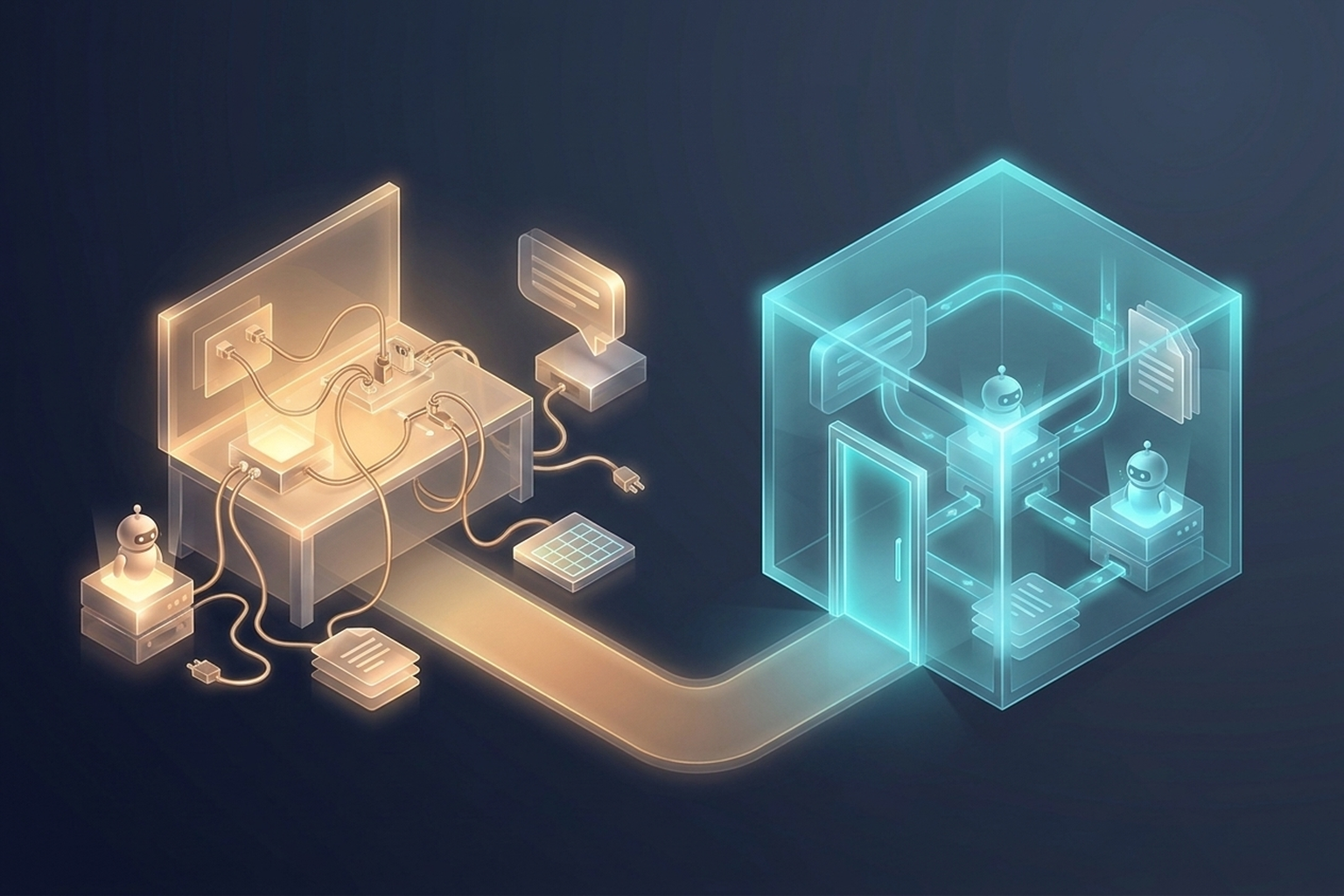
An Announcement That Looked Like My Company’s Architecture Diagram#
On September 29, 2026, OpenAI announced two products at DevDay. One is dots, always-on agents that each have their own cloud computer. The other is ChatGPT Space, a shared team workspace where people, ChatGPT, Codex, and dots edit the same documents together.
While reading the official documents to put together an AI news brief, something came to mind before the feature descriptions did: the architecture diagram of the agent environment I built at work. An agent living on a server, Slack as the front door, documents accumulating in Notion, and some data kept in Google Sheets. Change the names and it was almost the same picture OpenAI had just presented.
So this essay asks one question. Many companies have assembled agent-based work environments by picking tools one at a time. If OpenAI intends to replace that with a finished product inside its own ecosystem, what do we gain and what do we give up?
My answer up front: the effort of assembly shrinks dramatically, but every part becomes tied to one company. And these are not two separate pros and cons. They are consequences of the same design.
This essay first looks at what dots and Space actually are. It then sets them side by side with my company environment to weigh the trade-offs, and finally suggests what you could build with the two.
What dots and ChatGPT Space Are#
The following is based on OpenAI’s announcement, its safety design post, the ChatGPT Space feature page, and Help Center articles, as of October 2026.
dots: A Personal Agent That Is Always On#
Chatbots so far have worked only when a person asked a question. dots are built to do the opposite: to keep working while the person is away. OpenAI describes them as “highly capable, always-on agents designed to handle everything.”
- An agent with its own computer: A dot runs on GPT-6 Astra, and each one has its own cloud computer and browser. That computer is a Linux and Chrome environment managed by OpenAI, and you can open its screen at any time to see what the dot is doing or take over the controls. Connecting it to your own laptop is optional and off by default.
- App connections: Through plugins, a dot connects to more than 4,000 apps. Those permissions are shared with ChatGPT, ChatGPT Work, and Codex. It can also create coding tasks in Codex cloud environments.
- Where you reach it: You message or call your dot from ChatGPT on desktop, web, and mobile. You can also message it in Slack and Microsoft Teams, and texting is available as a limited beta for Pro users in the US. Whichever channel you use, it keeps the same context.
- Work it does unprompted: It runs several projects at once and executes scheduled tasks such as reminders and recurring check-ins. When you are not talking to it, it reads your connected apps looking for ways to help, which OpenAI calls proactive research.
- An agent that learns: It picks up your preferences and your standards for good work through feedback, and it inherits ChatGPT’s memory.
OpenAI’s examples make the use cases concrete. Inside OpenAI, when a bug shows up in Slack, a dot starts investigating right away; when a new design arrives, a dot turns it into a working app while the team focuses on customer feedback. An external early tester’s dot noticed that the user had forgotten to send an invoice to a publication, drafted it, got approval, and sent it.
Availability is still narrow. It is rolling out to Pro (excluding the European Economic Area, Switzerland, and the UK) and Business Premium plans, and Enterprise access is a beta that an admin has to enable. The first dot is included at no extra cost. Conversations with a dot do not count against ChatGPT usage limits, but tasks the dot hands to Codex or ChatGPT Work do. Specialist dots, which get their own identity and credentials to take on a specific role inside an organization, are starting as enterprise pilots.
ChatGPT Space: An Office Shared by People and AI#
Space is a shared team workspace inside ChatGPT. It replaces the former ChatGPT Library and gathers the pages, files, spreadsheets, and presentations you create, upload, and share in ChatGPT in one place.
- Pages: The core of Space is a new document type. A page holds text, images, charts, checklists, and interactive tools in a single document, and teammates edit it together in real time.
- Tagging AI like a colleague: On a page or in a comment, you mention ChatGPT, Codex, or a dot to hand off edits or next steps. Each editor works on the same page through their own ChatGPT.
- Self-updating pages: Write instructions for what to update, which sources to use, and how often to check, and automation keeps the page current. OpenAI’s own example is a to-do list that pulls tasks from Slack, email, and calendar and adjusts deadlines and next steps when priorities change.
- External sources: It pulls files and context from connected tools such as Google Drive and Slack.
- Meetings plugin: It produces meeting notes and follow-ups and brings them into a page to share with the team. It is in beta for Pro and Business users in the macOS desktop app.
Space is available on Pro, Business, and Enterprise plans. Creating and editing pages happens on web and desktop; on mobile you can only read and share for now. Collaborative slides and spreadsheets are listed as “coming soon.”
They Are a Matched Set#
dots and Space were announced separately, but they were designed to be used together. A dot works directly on files in Space, and you can ask it from Slack or ChatGPT to “update the page, the plan has changed.” If dots are the worker who is always at their desk, Space is the shared desk where that worker and the people around it pile up their output. That is also why the combination looked so familiar to me.
The Agent Environment I Assembled at Work#
My company environment consists of four parts.
- Agent engine: Hermes, the open-source agent from Nous Research, runs on our own server. It is always on, and tool execution is isolated inside Docker containers.
- Front door: Slack. Team members mention the agent in Slack to ask questions or delegate work.
- Documents and knowledge: Notion holds our documentation across the board.
- Tabular data: Some documents live in Google Sheets.
For each part, I picked the tool that was most familiar or fit best in its category. I covered Hermes’s architecture and installation in my first impression of Hermes Agent, and the remote development setup in An Agent That Keeps Working After the Laptop Closes.
In this kind of setup, the parts themselves are not where the effort goes. The seams between them are. You have to decide, one by one, how to attach MCP (Model Context Protocol) servers, the standard by which an agent connects to external tools; where to keep the tokens for Notion and Slack and how narrowly to scope them; which paths to mount into the container; who reviews the skills the agent writes; and whose requests it should accept. Getting an agent to do good work is one job. Building a place where it can work safely is a separate one.
Putting dots and Space in the Same Slots#
Here is my environment set side by side with OpenAI’s announced lineup, role by role.
| Role | My environment | OpenAI ecosystem |
|---|---|---|
| Resident agent | Hermes on our own server | dot (GPT-6 Astra) |
| Execution environment | Docker container | Dedicated cloud computer per dot |
| Front door | Slack bot | ChatGPT, Slack, Teams |
| Tool connections | MCP servers and tokens | Plugins (4,000+) |
| Documents and knowledge | Notion | Space pages |
| Tabular data | Google Sheets | Space spreadsheets (coming soon) |
| Recurring work | cron, configured by hand | Scheduled tasks, self-updating pages |
| Safety mechanisms | Designed in-house | Auto-review, custom rules, monitoring |
Laid out as a table, there are almost no gaps. Apart from collaborative spreadsheets and slides still being “coming soon,” every role in the setup I stitched together from several companies’ products now has an OpenAI product slotted into it.
Two differences do not fit in the table, though.
First, dots do not only come when called. Proactive research lets them find work on their own. My Hermes moves only when someone calls it in Slack, and recurring work has to be wired up separately with something like cron, a scheduler that runs jobs at set times.
Second, a Space page updates itself once you write down the instructions. A Notion document at my company stays exactly where it is until a person or an agent touches it.
The Upside: Assembly Becomes Configuration#
The biggest advantage of the OpenAI ecosystem is that OpenAI has already built the seams I described. Of what I confirmed in the official documents, here are the pieces that would take real effort to build myself.
- Password isolation: In supported login flows, the model pauses while you fill in a secure login form, and the credentials go straight to the browser environment without passing through the model’s context. Saved passwords also go through a dedicated encrypted credential service and are never exposed to the model.
- Pre-execution checks: Before sending an email or changing a file, a separate system called “auto-review” checks whether the step matches your instructions, your custom rules, and the safety requirements. The mechanism that enforces this review sits outside the environment a dot can modify, so a dot cannot switch it off.
- Read-only research: Proactive research uses read-only tools, and that restriction is enforced in code. During research, a dot cannot send messages, change app content, or operate the browser.
- Sharing rules by sensitivity: Sharing health data requires you to name the recipient explicitly, while less sensitive information such as an email address only requires a recipient category. Password changes and bank transfers are always handed back to you.
- Connect once: Plugin permissions are shared across ChatGPT, ChatGPT Work, Codex, and your dot. Memory is shared between ChatGPT and your dot as well.
The equivalents in my environment are Docker containers, tokens scoped as narrowly as possible, and human review. That is serviceable, but building a mesh as fine as the list above would be a separate project of its own.
The operational burden differs too. A team with no one to manage a server can start the same setup inside ChatGPT, which they already know. Create a dot on desktop, connect your apps, and it is ready. When I think back on pinning down each seam of my company environment one at a time, the work of assembly turns into a handful of settings.
The Downside: Every Part Is Tied to One Company#
Let me be fair first. My own environment is not free of lock-in either. Slack, Notion, and Google Sheets are all services from other companies. There is no work environment with zero dependencies.
The difference is whether the dependencies are spread across several places or concentrated in one. In my environment, I can swap parts one at a time. I have connected Claude, Codex, and Gemini accounts to Hermes in turn, and for personal remote development I attached Discord instead of Slack. If I moved from Notion to another documentation tool, the agent engine could stay put.
In the OpenAI ecosystem, these parts move as a single block. Here is what I confirmed in the official documents.
- You cannot choose the model. dots run on GPT-6 Astra. If a better-suited model comes out from another company, you cannot swap just the brain of your dot.
- Accumulated context is hard to extract. According to the Help Center, you currently cannot view, edit, or delete a dot’s individual memories; the only way to clear them is to reset the dot. Disconnecting an app does not remove information the dot has already taken in. In the documents I read, I found no way to move a dot’s accumulated context out.
- Documents live inside ChatGPT. Pages are a new document format built to be used with ChatGPT. Space can pull material from Google Drive or Slack, but the knowledge that accumulates on top of it stays in Space. I could not find, in the documents I read this time, a way to export pages to other tools.
- OpenAI holds the levers on price and policy. OpenAI decides which plans and regions get dots, and Pro users in some regions still cannot use them. OpenAI has said that in the future you will be able to add more dots or increase each dot’s speed and monthly workload. What you get for which price is OpenAI’s call.
- Your settings may not follow your content. When a colleague’s ChatGPT handles content you shared in Space, the colleague’s training settings apply. Even if I have turned off training on my side, what I shared can be used for training. Business and Enterprise data, however, is not used for training by default.
One thing is worth noticing here. The “connect once” advantage from the previous section and the disadvantages in this one come from the same design. Because plugin permissions and memory are shared across ChatGPT, Codex, and your dot, getting started is easy. And because of that very sharing, leaving is hard. Pull out one part, and the context the others depended on breaks with it.
What You Could Build with dots and Space#
With the trade-offs weighed, let’s think about what you could actually build. The ideas below come from the features I confirmed in the official documents. Only your first dot is included at no extra cost, and a dot’s memory cannot be deleted selectively, so a reset wipes all its context. That is why it makes sense to start with something narrow, where you can compare the results against how you do it today.
1. A Weekly Trend Scout#
- What it does: Over the week, it scans official blogs, communities, and video channels in your field and collects the important news. On a set day each week, it lays out the candidates, source links, and one-line summaries on a Space page.
- Features used: Proactive research, scheduled tasks, self-updating pages
- Why it is a good start: It only reads, so there is almost no risk. If, like me, you write a weekly news brief yourself, comparing the dot’s picks against your own is the clearest way to see what an “always-on AI” is worth. This is what I plan to build as my first dot.
2. A Self-Updating Team Dashboard#
- What it does: Create a project status page in Space and have it gather progress and blockers from Slack channels, calendars, and issue trackers on a regular schedule. When priorities change, tell the dot in Slack and have it fix the page.
- Features used: Page instructions and automation, Slack integration, context from connected tools
- Why it is a good start: Space takes direct aim at the old problem of documents going stale the moment nobody touches them. It is easy to measure how much time you save preparing the dashboard before the weekly meeting.
3. A Meeting Follow-Up Assistant#
- What it does: Move the notes produced by the Meetings plugin onto a Space page, and have the dot prepare the research, message drafts, and plan updates the follow-ups require. People only review and approve the drafts.
- Features used: Meetings plugin, Space pages, the dot’s approval flow
- Why it is a good start: It targets the problem of “we had the meeting, but the follow-ups fizzled.” Keep the message-sending step behind approval and you can test it safely.
4. A Development Helper That Turns Feedback into PRs#
- What it does: It finds recurring requests in customer feedback or bug reports, scopes a small fix, and brings back a PR, implemented and tested in a Codex cloud environment, for review. This is the same flow OpenAI used as an example in its announcement.
- Features used: The dot’s cloud computer, Codex integration, GitHub plugin
- What to watch: Work handed to Codex counts against your usage limits. You could also have it review PRs across several repositories and leave comments, but a personal dot works under your account, so those comments appear under your name. Do not delegate merging; stop at “request approval once it judges the PR mergeable.”
5. A Content Repurposing Assistant#
- What it does: When an interview transcript or presentation comes in, it picks out the key moments, drafts a summary and social media posts, and carries your edits into the next draft.
- Features used: Learning from feedback, Space pages, approval flow
- Why it is a good start: This is the content creator use case OpenAI itself cited. It is a good way to see how quickly the dot picks up your voice.
Whatever you build, start with conservative settings. Begin with a custom rule such as “never send messages or emails,” watch how it behaves, and loosen from there. Leave the laptop connection off, and for a while check the background work yourself in the desktop app’s Activity view. If company data is involved, create the dot in your company workspace, not on a personal plan. A dot’s memory is shared with ChatGPT’s memory, so connecting company repositories or Slack to a personal dot mixes company context into your personal memory.
Closing#
To sum up: the upside is that an environment much like the one I assembled at work can be built far more easily inside the OpenAI ecosystem. The resident agent, the front door, shared documents, tool connections, and safety mechanisms all come at once, with protections that would be hard to design yourself built in by default. The downside is that the price of that convenience is being locked into the OpenAI ecosystem. The model, agents, documents, and memory are bundled into one block, so leaving means moving everything at once.
Which side suits whom follows from the same criterion. For a team that has no agent environment yet and nobody to run one, OpenAI’s finished product is a very attractive starting point. For a team like my company, which already has an assembled environment, I think dividing the roles beats tearing out what is there. Keep the source knowledge and work records somewhere easy to move, such as Notion, spreadsheets, or files, and use dots and Space as the workspace that operates on top of them. For my part, I intend to start by handing a dot a narrow, read-heavy job like the weekly trend scout above and see how useful it really is.
There are things to keep watching too. Specialist dots, which take on specific roles in an organization with their own identity and credentials, are still in enterprise pilots, and collaborative spreadsheets and slides in Space have not shipped yet. Once those arrive, my company’s diagram and OpenAI’s picture will converge further. Whether export and migration features arrive alongside them is, I think, the single variable most likely to change my judgment.
If the reason for assembling an agent environment yourself has been “there was no other way,” that reason is disappearing fast. The reason that remains will be the freedom to swap any part, and to leave, whenever you choose.
References#
- OpenAI — Introducing dots
- OpenAI — How we build safety, security, and privacy into dots
- ChatGPT Space feature page
- OpenAI Help Center — Getting started with your dot
- OpenAI Help Center — dots privacy, security, and safety FAQs
- Hermes Agent — Is It the Luxury Brand of AI Agents? A First Impression
- An Agent That Keeps Working After the Laptop Closes: Remote Development with Lightsail, Hermes, and Discord