What Is an API Key? — How to Connect Directly to AI

What Is an API Key? — How to Connect Directly to AI#

To use “I am your AI,” you need an API Key from an AI provider. This document explains what an API and API Key are, why it’s beneficial to use an API Key directly, and how to get one from each AI provider.


What Is an API?#

API (Application Programming Interface) is, simply put, a gateway for programs to communicate with each other.

Development History

Development History#

Code Battle grew by shipping an MVP first, fixing the slow and painful parts, and expanding along the way as it was used to support real events. In the early days, progress was often made in small pockets of time between work and study, and keeping a written history helped maintain context and momentum.

May 21, 2017 — Launch the site with a Rock Scissors Paper MVP#

The first MVP of Code Battle was Rock Scissors Paper. It started with a single web page and a single API, and users could inject “their strategy” by implementing callback functions like onGameStart() and onRoundStart() in the code area.

Green Swagger

Green Swagger#

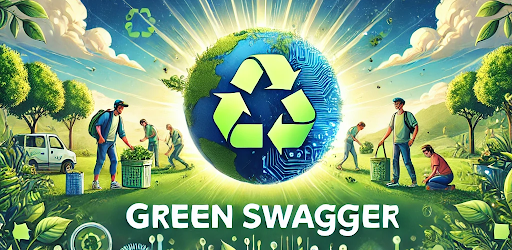
Green Swagger icon Green Swagger promotion image

Green Swagger is an Android/iOS app built with Flutter for the 2024 Gemini API Developer Competition. While it was developed with release in mind, after considering multiple factors, I decided not to launch it, and the project is currently paused.

Why I jumped into the competition#

The first prize was a massive $300,000, and there was even a car as a giveaway prize that looked like it belonged in Back to the Future. From my perspective, it was hard to find a reason not to participate—so I committed to building a submission.

Walkholic

Walkholic#

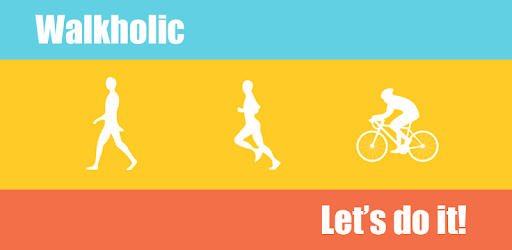
Walkholic icon Walkholic promotion image

Walkholic is an Android app that I released on Google Play around 2015. It has since been removed from Google Play for maintenance reasons.

Back then, fitness apps that tracked basic activities—like walking, running, and cycling—and recorded metrics such as activity volume and heart rate were just starting to become popular. Around the same time, Google launched the Google Fit API to grow an ecosystem, and a developer contest called the Google Fit Challenge was held. As you might expect, I joined the challenge and started building an app.

I am your AI

I am your AI — An AI Assistant for Web Learning, Note-Taking, and Task Automation#

Read, ask, organize, and automate — AI is with you at every moment of web browsing.

Quickly summarize webpages, ask questions about anything you don’t understand, take notes with AI, and build up your knowledge. You can even automate repetitive web tasks. Customize your prompts and create your own AI assistant.

Chrome Web Store — I am your AI (listing)

Mission Omok (TAKE FIVE)

Mission Omok (TAKE FIVE)#

Mission Omok (TAKE FIVE) icon Mission Omok (TAKE FIVE) promotion image

Mission Omok (TAKE FIVE) is an Android game that I released on Google Play around 2014. It has since been removed from Google Play for maintenance reasons.

Back then, puzzle games like Candy Crush were booming. I remember thinking, “Gomoku/Omok is a familiar rule set, but maybe no one has really ‘claimed’ it with a standout concept yet.” So instead of building a plain Gomoku clone, I decided to create a version with a fresh theme and a mission-based structure.

Code Battle

Code Battle#

Code Battle is a website operated by the author where your code and your opponent’s code fight one turn (TURN) at a time. A GAME consists of multiple ROUNDs, and each ROUND consists of multiple TURNs. In each TURN, “my choice” and “the opponent’s choice” determine win/lose and score, and the accumulated results determine ROUND win/lose and GAME win/lose.

Code Battle site (https://codebattle.online/)

What is Code Battle?#

The core of Code Battle isn’t “solving a problem with a single correct answer.” Instead, it’s a structure where you implement a strategy in code to beat the opponent. You don’t just finish after solving something—you analyze the opponent’s patterns, predict the next turns, and reflect those predictions in code to shape the flow of a match.

Smart Browser

Smart Browser#

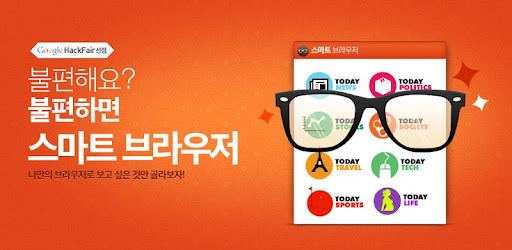
Smart Browser icon Smart Browser promotion image

Smart Browser is an Android browser app that I released on Google Play around 2012. It has since been removed from Google Play for maintenance reasons.

I built this app to submit it to an event in 2012 called “Google Hackfair.” Back then, the mobile market was a battlefield, and at the same time it still wasn’t as mature as it is today. I personally had a few pain points while using Chrome on Android, and when I decided to participate in Hackfair, I thought: “Then why not build the browser I want myself?”—and started the project.

© 2026 Ted Kim. All Rights Reserved. | Email Contact